
Contact data pool
1. Overview
The contact data pool is good for large contact lists you want to use in batches. One import is one pool; when doing outreach you "take numbers" in batches, and the contacts you take are marked used automatically so you won't pull them again. When taking numbers, you can turn the batch straight into a contact library, then select that contact library to send from in a broadcast task.
The data pool is shared across the team: everyone with the Contacts permission sees the same thing.
2. How to use it
1. How do I import contacts?
① After logging in to the back office, click Contacts > Contact Data Pool in the left-hand menu.
② Click Import to open Import Contacts.
③ Enter a File name (for example, "Aug SE Asia number ranges") and optionally a note.
④ Paste your contacts, or click Import txt / csv to choose a file (up to 20 MB). One entry per line; put a display name after #.
⑤ Click Import; a message reads "N contacts imported (M skipped as duplicates)."
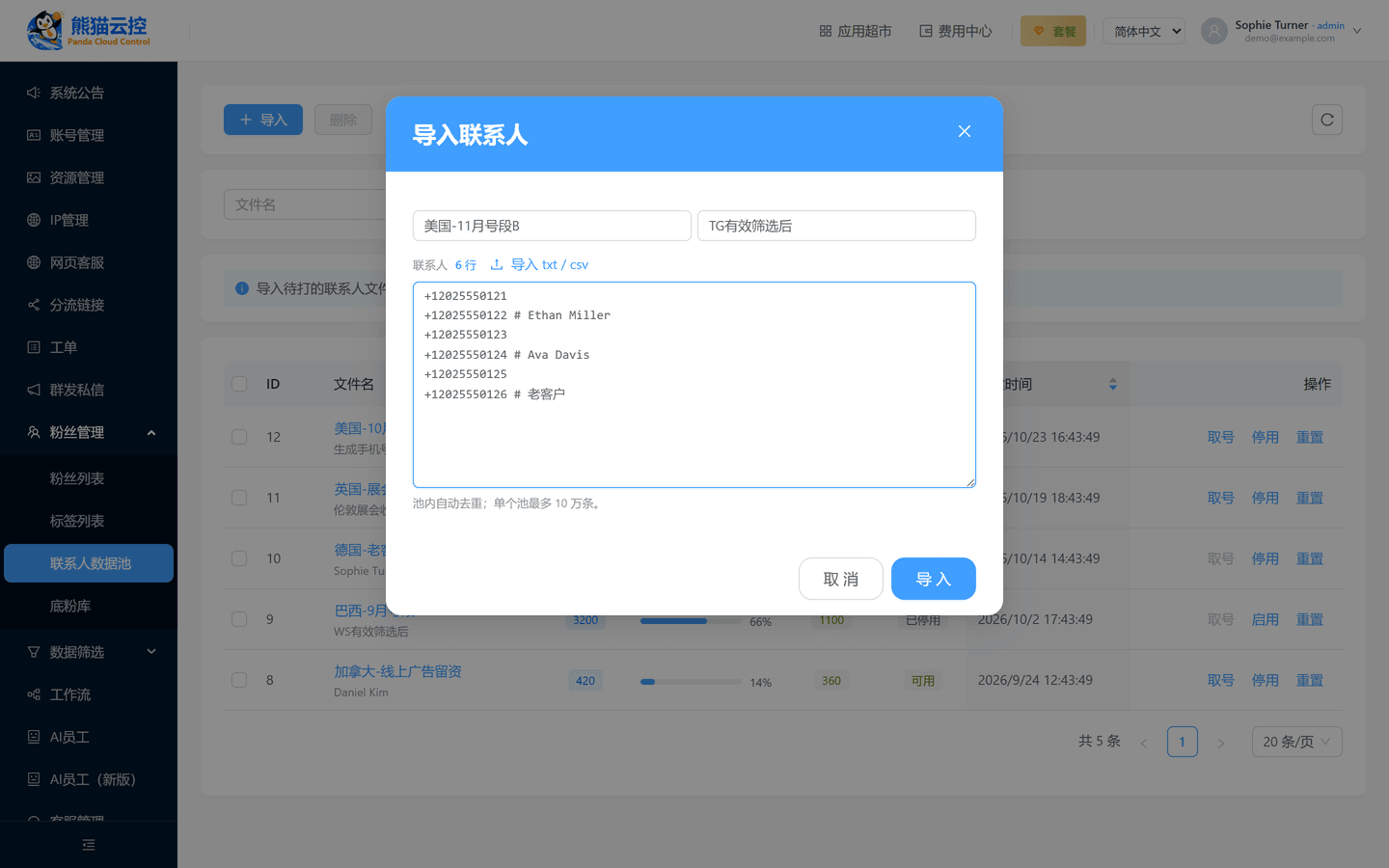
Note: Duplicates within a pool are removed automatically; up to 100,000 entries per pool.
2. How do I take numbers for a broadcast?
① On the row of the pool you want, click Take numbers.
② Enter How many to take (default 100, no more than the remaining amount).
③ Keep Take numbers and create a contact library selected, and enter a Contact library title.
④ Click Take numbers; a message reads "N numbers taken, saved as a contact library (N added)."
⑤ Under Contacts > Contact Library you'll find the new library; when creating a broadcast task, choose Pick from a contact library under Data source to use it.
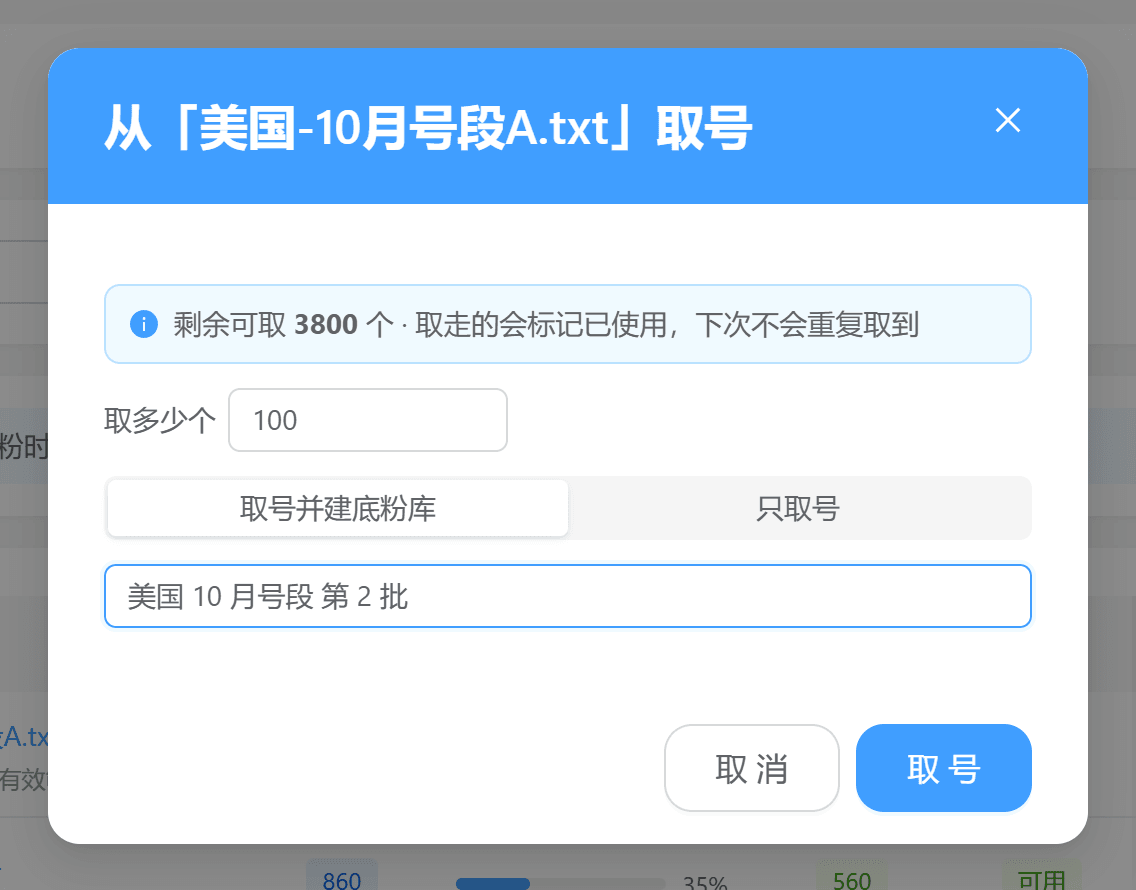
Caution: If you choose Take numbers only, the numbers are just marked used and you won't get the taken numbers on the page. To use the batch, choose Take numbers and create a contact library.
3. What's shown in the list?
① The columns are File name, Total, Used (a progress bar), Remaining, Status (Active / Disabled), and Created.
② Click a file name to view the details, where you can switch between All and Unused; up to 500 are shown.
4. What other actions are there?
- Disable / Enable: once disabled, you can't take numbers.
- Reset: set Used back to zero (click Clear in the confirmation dialog), so numbers already taken become available again.
- Delete: select and delete; the contacts in the pool are deleted too, while any contact libraries already created are unaffected.
FAQ
1. What's the difference between the contact data pool, the number pool, and a contact library?
| Purpose | How it's used in a broadcast | |
|---|---|---|
| Contact data pool | Stores large lists to work through, taken in batches | After taking numbers to create a contact library, choose Pick from a contact library |
| Number pool | A number library for broadcasts to strangers; locked once taken | Choose Pick from the number pool |
| Contact library | A reusable recipient library with results written back | Choose Pick from a contact library |
2. If I took the wrong numbers, can I undo it?
You can use Reset to set the whole pool's Used back to zero, so every number taken becomes available again.
Thanks for the feedback!
Still stuck? Reach us directly: Telegram @scrmqiye001 or email [email protected]
Last updated: