
About Panda Cloud Control
1. Overview
Panda Cloud Control is a TG AI marketing platform for overseas studios and teams acquiring customers on Telegram. You can batch-log in the accounts you have and manage them in one place, use those accounts to send bulk DMs, and when customers reply, handle them in the Agent Workspace — or let an AI employee handle them first in your own script.
Panda Cloud Control runs online, with no server to deploy. Open app.xiongmaoscrm.com in your browser and sign up to get started.
2. What can Panda Cloud Control do?
1. From login to reception, one chain
| Stage | What you can do | Menu |
|---|---|---|
| Login | Batch-import protocol-account files, or log in by QR or phone number; online, offline, frozen and banned are counted separately | Account management, Billing Center > Buy Devices |
| Warm up | Each account runs through its own exit IP; name, avatar, bio and username can be edited in bulk | IP management, Resources |
| Screen | Generate phone numbers by country and area code into the number pool; data screening checks whether numbers are registered on Telegram | Data screening |
| Broadcast | Online accounts in a group send in rotation; interval, hours and daily cap are all configurable, with automatic pause after repeated failures | Bulk messaging |
| Reception | Customers who reply enter the Agent Workspace, with foreign languages auto-translated; an AI employee can handle them first, and an agent can take over anytime | Agent Workspace, AI employees |
| Retention | Customers you've chatted with go into the contact list automatically; the contact library supplies recipients for the next contact broadcast, and the results are written back to it | Contacts |
2. Which channels are supported?
Besides Telegram personal accounts, Panda Cloud Control can also connect Telegram bots, WhatsApp personal accounts, WhatsApp API numbers, Signal, LINE, VK communities, Instagram, Facebook Messenger and X, as well as the web chat widget installed on your own website. Customer messages from every channel land in the same Agent Workspace.
Note: No channel needs to be activated — just pick the channel in the sub-navigation under Account management in the left menu of the admin console to add an account. See How do I connect a chat channel?
3. What apps does Panda Cloud Control have?
1. Admin console
For the people who run outreach and manage accounts: account management, exit IPs, broadcasting, lists, AI employees, agent management, top-ups and buying devices are all here.
① Open app.xiongmaoscrm.com in your browser, click Enter the TG Cloud Control System, and log in to reach the admin console.
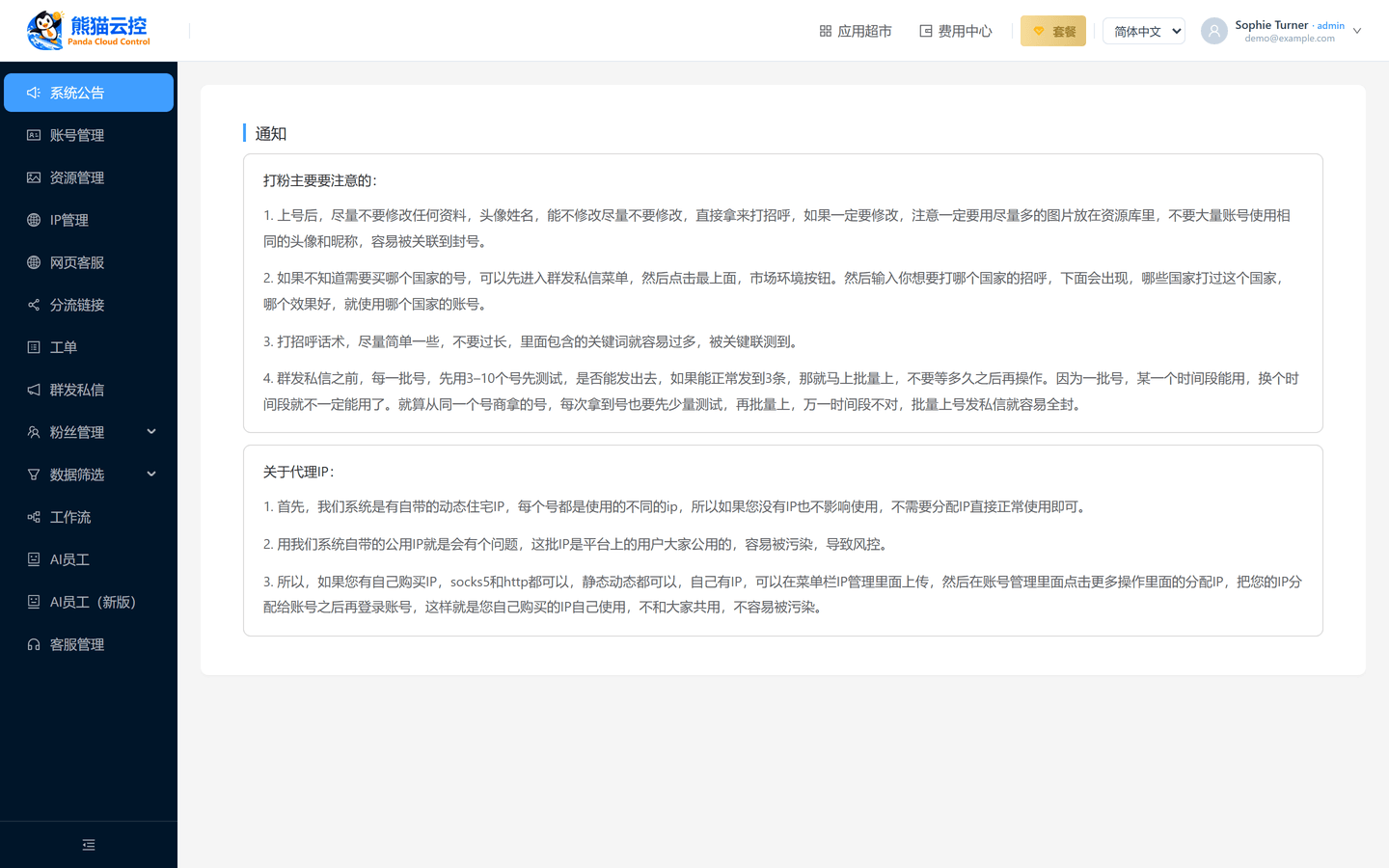
2. Agent Workspace
For the agents who handle customers: a unified inbox, translation, canned replies, customer profiles and the AI-employee toggle are all here. Agents only see the accounts and conversations assigned to them.
① On app.xiongmaoscrm.com, click Enter the Agent System and log in; if you're already in the admin console, click your name in the top right > Enter the Agent Workspace — no need to log in again.
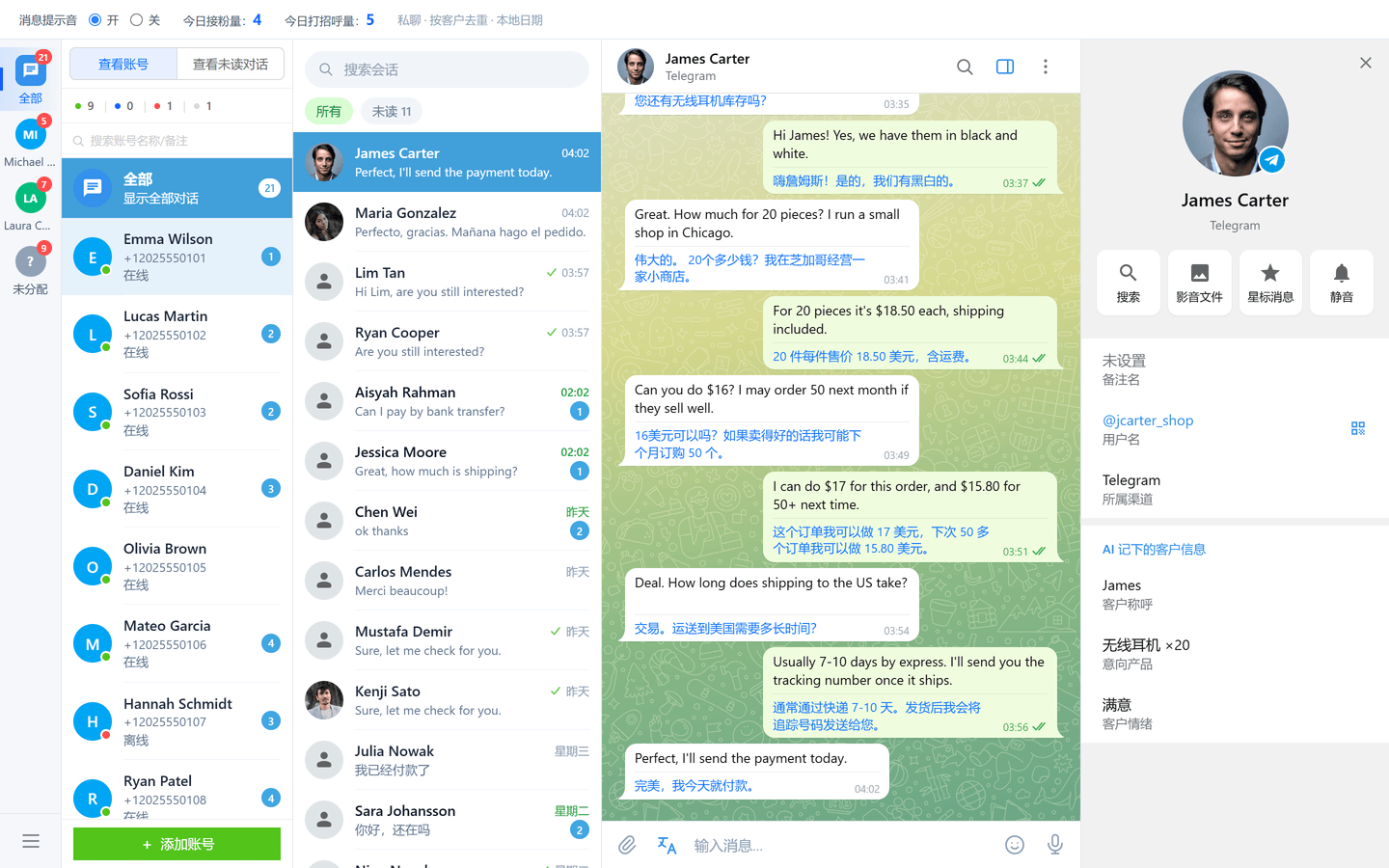
Note: The admin console and the Agent Workspace use the same account, and the main account can switch between the two anytime. The Agent Workspace also works in a mobile browser (on a phone you can only log in with an agent account).
3. Desktop client
The Windows desktop client opens straight into the Agent Workspace, with the same features as the web version; after the web version updates, refreshing or restarting the client gives you the latest version — no reinstall needed. To get the installer, please contact us; see Workspace settings & the desktop app.
FAQ
1. How does Panda Cloud Control charge?
Billed per device: one device can log in one account, and support sub-accounts are unlimited and free. See How does Panda Cloud Control charge?
2. Can Panda Cloud Control guarantee accounts won't get banned?
No tool can. What Panda Cloud Control provides are dedicated exit IPs, bulk profile edits, send intervals and hours, automatic pause after repeated failures, and separate flags for frozen and banned accounts — measures that help you lower the risk and know the moment something goes wrong.
3. Does Panda Cloud Control provide accounts?
No. You prepare the accounts yourself; Panda Cloud Control is only for accounts you own, customer lists you obtained lawfully, and normal business communication.
Thanks for the feedback!
Still stuck? Reach us directly: Telegram @scrmqiye001 or email [email protected]
Last updated: