
Step 2: Top up and buy devices
1. Overview
Panda Cloud Control bills per device: one device logs in one account, so buy as many devices as the number of accounts you want logged in at once. The cost of devices, AI employees, and data screening is all deducted from your balance, so top up first and then buy devices.
Note: Only the primary account can top up and buy devices.
2. Steps
1. How do I top up?
① After logging in to the admin console, click Billing Center in the top-right, then click Top Up in the sub-nav.
② Choose a top-up amount, or click Custom to enter an amount, then click Pay Now.
③ In the dialog, click Copy Address (or scan the QR code), select the TRC-20 network in your wallet or exchange, and transfer the exact Transfer Amount shown in the dialog, matching the decimal places as well.
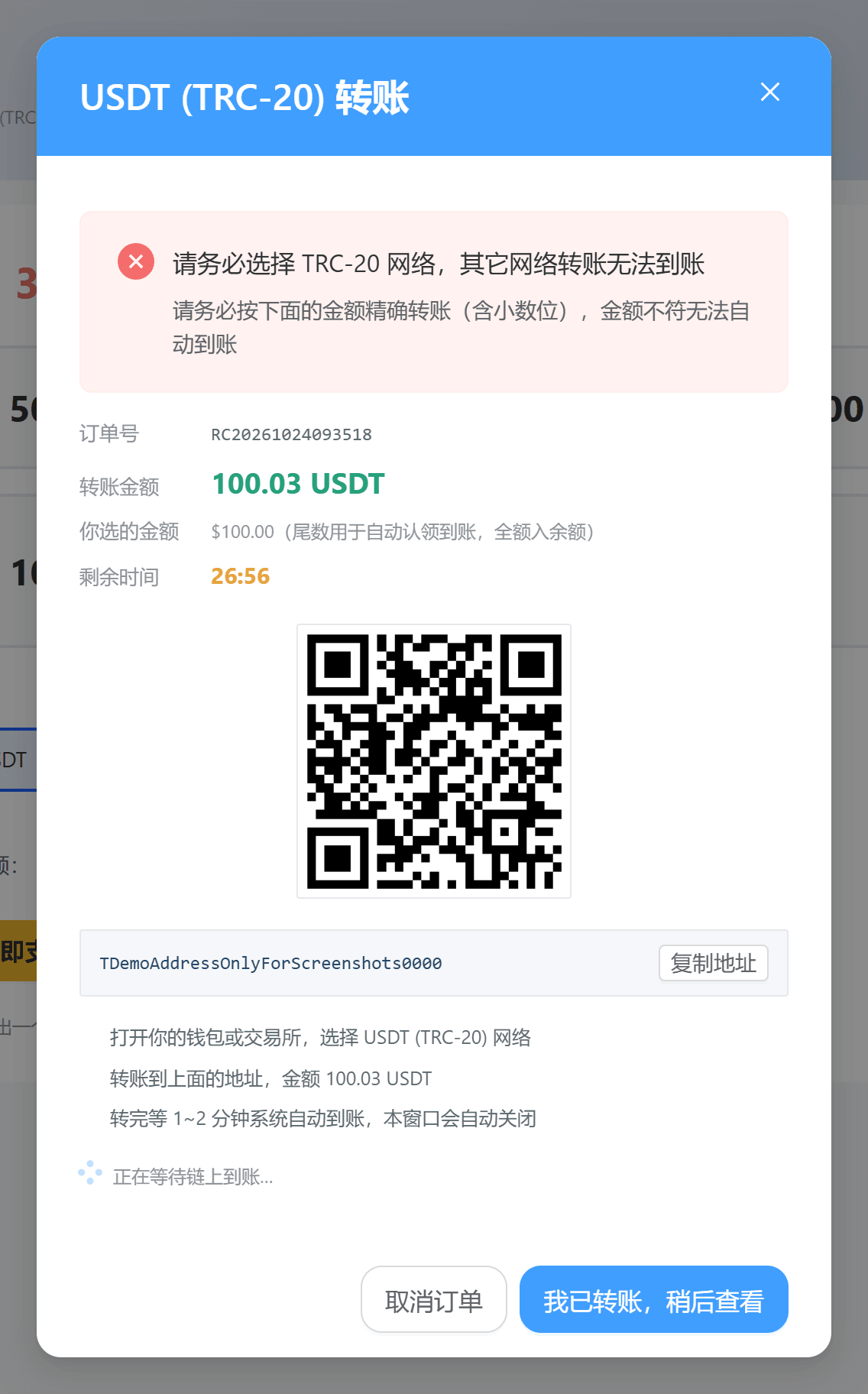
④ Usually within 1–2 minutes of the transfer, the dialog shows "Top-up received; balance updated."
Caution: Only the USDT TRC-20 network is supported; funds sent on the wrong network cannot arrive. An order is valid for 30 minutes; if it expires, place a new one.
2. How do I buy devices?
① Click Billing Center in the top-right (it opens Buy Devices by default), or click Plan in the top-right.
② Set Purchase Type to Buy Devices and enter the Number of Devices (5 minimum), or just click a card under Common Presets.
③ Choose the Duration: Monthly, Quarterly, 6 Months, 1 Year, or enter a custom number of months.
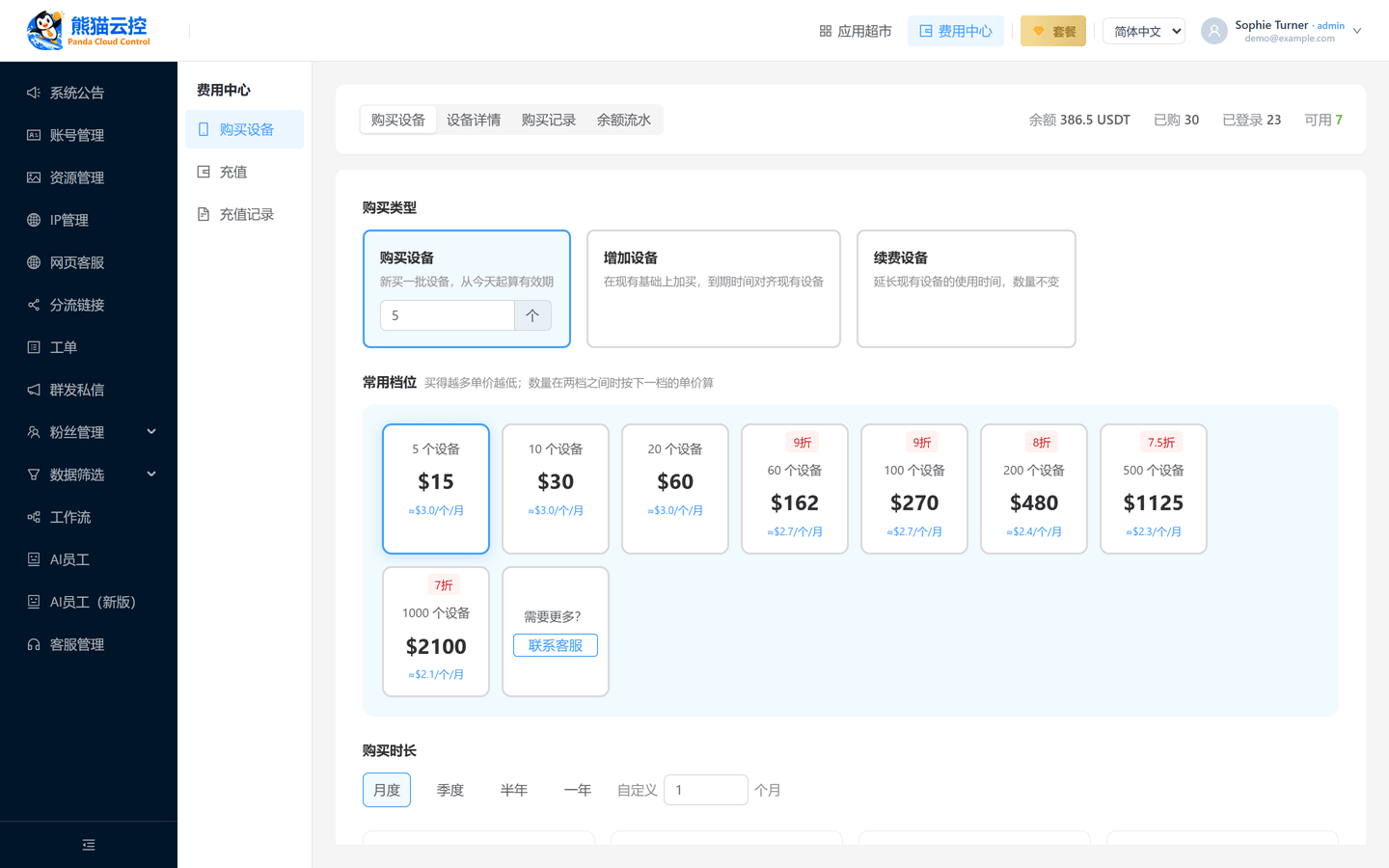
④ Check the Amount Due, click Pay Now > Confirm Payment, and once it reports success you can go add accounts.
Note: The more you buy and the longer the term, the cheaper it gets; for prices, see How does Panda Cloud Control charge?. To add devices later, use Add Devices; before they expire, use Renew Devices.
For more detail, see Top-ups and top-up records and Buying devices.
Next step: Step 3: Add Telegram accounts
Thanks for the feedback!
Still stuck? Reach us directly: Telegram @scrmqiye001 or email [email protected]
Last updated: