
Choosing a sending method
1. Overview
To send a Telegram DM to a phone number, the system first has to find that person by their number. The Send method decides how: look them up directly by phone number, save the number to the sending account's contacts first and then send, or let the system decide automatically (smart mode). New tasks use smart mode by default.
2. How to use it
1. What are the differences between the three send methods?
| Send method | How it works | Best for |
|---|---|---|
| Send directly by phone number | Finds the person by phone number and messages them directly, without adding a contact | When you do not want to touch the sending account's contacts |
| Save to contacts, then send | Saves the number to the sending account's contacts first (using the note name, or the number when there is none), then sends | Number ranges where direct sending often cannot find the person |
| Smart mode (default) | Sends directly by phone number first; if that cannot find the person, the same account saves the contact and sends | Most cases; choose this when you are unsure |
2. Where do I choose the send method?
① Click Bulk Messaging in the left-hand menu > click Add.
② In step 1 (Select targets), below Data source, find Send method and pick one. The question-mark icon next to it has the same explanation.
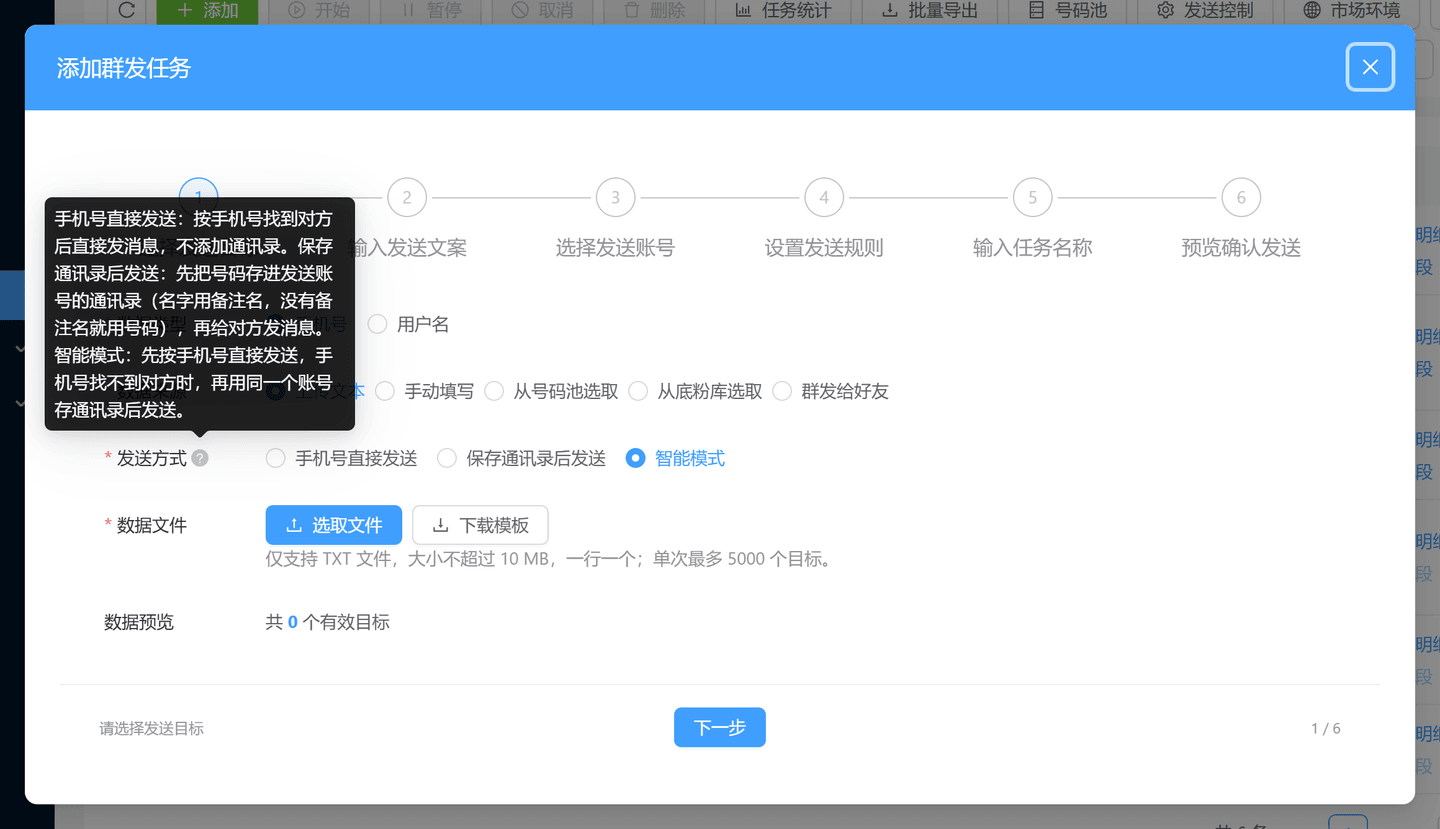
Note: This field appears only when the targets are phone numbers: Upload file or Enter manually with a Data type of Phone number, or a Data source of a number pool or contact library. Usernames and Broadcast to friends do not need it, and the preview shows "—".
3. How can I see which method each send actually used?
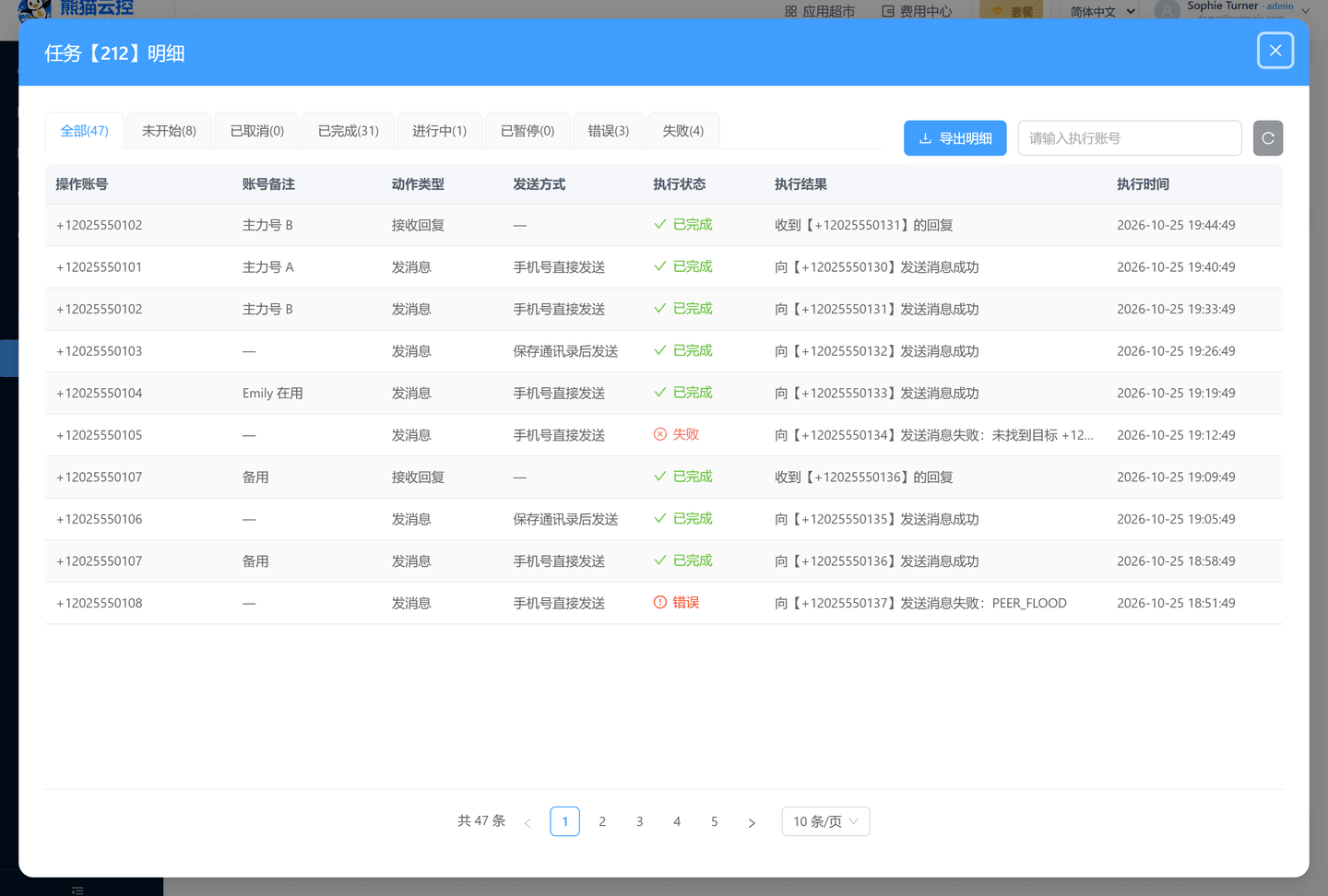
① In the Bulk Messaging list, click Task log in the task's Actions column.
② Look at the Send method column: each record shows the method actually used, for example Send directly by phone number or Save to contacts, then send. Smart-mode tasks are recorded by whichever path was actually taken; they do not show "Smart mode".
FAQ
1. When does smart mode switch to using contacts?
Only when the phone number cannot find the person does it retry once using the save-to-contacts method; failures such as a restricted account or a wait timeout are not retried.
2. I chose Save to contacts, then send, but my list has usernames mixed in. What happens?
Usernames are still sent directly and are not affected.
3. What should I do about "This sending account has imported too many contacts recently"?
When contacts are saved too often, Telegram asks you to wait a while before trying again. We recommend increasing the send interval, or adding a few more sending accounts to share the load.
4. Can I still change the send method after the task is created?
No. The send method is set when the task is created and cannot be changed afterward.
Thanks for the feedback!
Still stuck? Reach us directly: Telegram @scrmqiye001 or email [email protected]
Last updated: